Live streaming, overlays, and those flashy extra editing tools—what else could you want? Gaming or juggling multiple windows while multitasking can bring even heavy apps to a grinding halt on low-end PCs. If your computer is equipped with only 4GB of RAM, a basic processor, and lacks a dedicated graphics card, you’ll need software tailored for such configurations.
Surprisingly, despite being one of the lightest recording tools available, it effortlessly captures HD gameplay without any lag. Its emphasis on social media integration and automated highlight creation makes it an attractive choice for low-end PC users seeking quick, effortless sharing of their top streaming clips. If your PC struggles with OBS, consider GeForce Experience, Medal, or Outplayed as viable alternatives instead.
In the pop-up window, rename the video, choose the output format, or select where to save the video. For example, you can change its aspect ratio, split, resize, trim, rotate, flip, change its speed, add transitions, filters, stickers, add text and music, etc. For many users, it’s the best video editor for a low-end PC without a watermark.
**Which streaming applications perform optimally on low-specification computers?**
VSDC stands out among low-end PC options due to its minimal system demands and robust feature set. Atomi ActivePresenter is a flexible tool for screen recording and video editing, ideal for tutorials, presentations, or e-learning materials. Shotcut, an open-source editor, has gained traction for its straightforward design and compatibility with older hardware.
Clipping Software for Low End PC FAQs
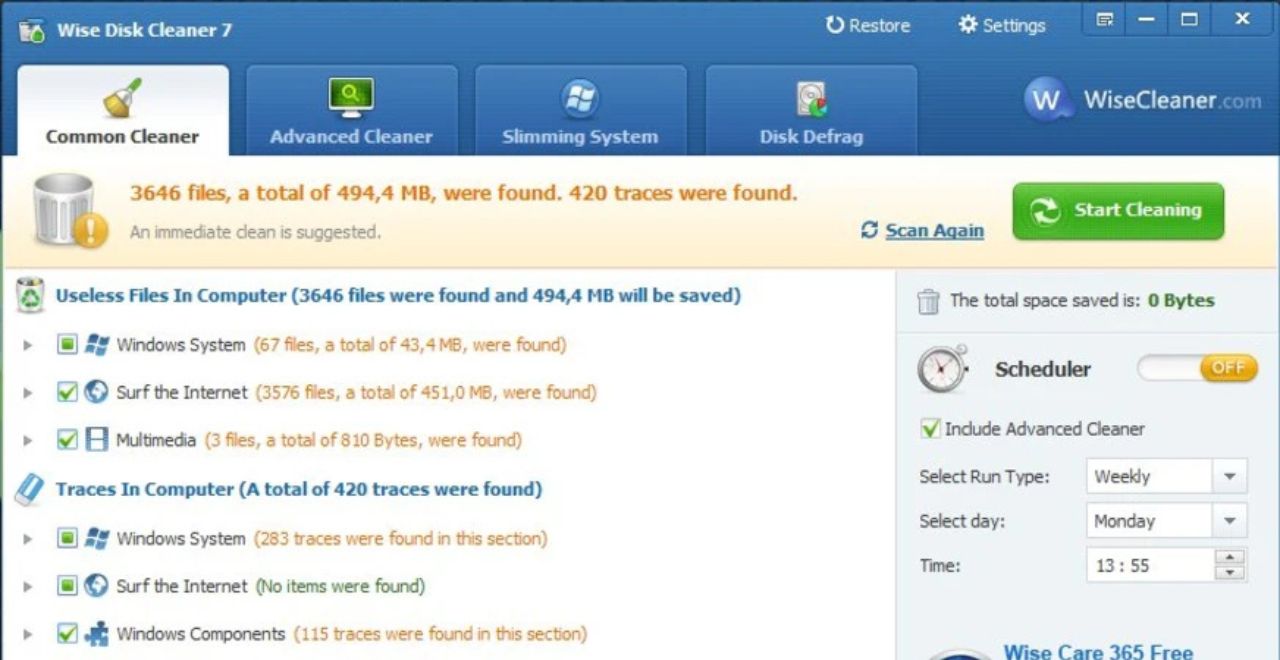
To access the unlimited version that allows saving recordings directly to your device, you should download and install this program. Recordings can be saved in widely used formats like PNG, JPEG, or BMP with ease. Though it’s Windows-exclusive, it supports recording from various sources—webcam, smartphone, IPTV, PlayStation, or Xbox included. On slower computers, this recorder lets you capture multiple windows or screens simultaneously for comprehensive recording. Originally designed for Windows users, it can also function effectively on Mac devices. This collection includes both free and paid versions compatible with leading operating systems.
Running such software softmesa.com/en on a low-end PC with limited RAM and processing power may worsen performance instead of enhancing it. Maintaining smooth operation on an aging or underpowered computer can feel like an insurmountable challenge. For beginners or experienced editors alike, these tools strike an ideal balance between performance and functionality.
It handled color adjustments with no lag, the whole process was straightforward, and the output was decent. My FixThePhoto colleague Kate checked the performance of this video editor for a low-end PC while processing a 60-second Instagram Reel with music, text overlays, and filters. Having extra hardware power really helped me handle the demands of this project, and with this lightweight video editor, my editing experience was smooth and efficient. I tested Shotcut by editing 1080p video clips, namely by trimming, adding transitions, and doing some basic color correction. I wanted to see how well it performs in real-world editing, so I tested it on an entry-level laptop with an Intel Core i3 processor, 4GB of RAM, and integrated graphics.
Another key factor I evaluated was how easily and quickly the software allowed for editing. I assessed how efficiently the program performed on hardware with constrained RAM, CPU, and GPU resources. To determine compatibility, I tested these programs on an older laptop featuring 4GB of RAM and an integrated Intel GPU.

When it comes to system requirements, Restream is surprisingly lightweight, making it a great option for those with low-end PCs. Additionally, StreamYard offers a range of customizable templates and overlays, allowing you to personalize your streams and maintain your brand identity. StreamYard’s cloud-based architecture guarantees seamless streaming, even on low-end PCs, thanks to its low system requirements. StreamYard stands out as the best streaming software for low-end PC, especially for content creators who value ease of use and high-quality streams. The software is designed to use minimal system resources, ensuring that your streams run smoothly without sacrificing video quality.
A stable internet connection with a minimum upload speed of 3 Mbps is required for smooth 1080p streaming at 30fps, with significantly higher needs for 1440p+ at 60fps. Before selecting streaming software, ensure your PC meets at least the minimum system requirements—though for optimal quality, surpassing these specs is advisable. Such machines may struggle to run certain programs, including demanding video editing software. Yet, not everyone has access to high-performance computers capable of handling resource-heavy video editing tools.
Top 2. OBS Studio
While the interface handled basic tasks smoothly, it lacked the speed and responsiveness of lighter, more streamlined editors. Kdenlive loaded in around 40 seconds, marginally slower than some other lightweight editors I tested but still acceptable. I conducted tests with both hardware acceleration enabled and disabled during exports. If you can tolerate occasional timeline lag, Shotcut remains a reliable pick thanks to its versatility and low system requirements. Resource consumption stayed consistent, and the system remained responsive throughout rendering, with average export speeds compared to other lightweight editors. I observed that scrubbing and preview playback became noticeably laggy for both test clips.

FAQs: Clipping Software for Low-End PCs
It’s perfect for gamers seeking effortless streaming without overloading their system. Subscription plans range from $8/month for gamers up to $25/month for content creators. As a cloud-based solution, it offloads most processing to their servers, sparing your computer’s resources. This means you won’t have to worry about your PC slowing down from heavy software demands. Looking for the best streaming software tailored to low-end PCs? Regardless of your choice, we hope this guide helps you resolve recording issues on your low-end PC effectively.
It operates on both Windows and Mac, functioning efficiently with just 2GB of RAM and a multi-core Intel or AMD processor. BlueStacks is one of the most widely used Android emulators, and my tests confirmed its smooth performance on modest hardware, thanks to its lightweight Eco Mode. Their proprietary Hyper-V technology is engineered to deliver an optimized gaming experience for everyone. This emulator supports full 64-bit compatibility, allowing seamless execution of both 32-bit and 64-bit games, significantly boosting compatibility. It delivered faster speeds, smoother frame rates, and improved performance, making it a top choice for gaming. For desktop apps like OBS or Meld, 8GB of RAM is the practical lower limit for stable multistreaming while gaming or running other applications.